Book a call
Solution · Hospitality

Your own ordering system: delivery, pickup, table and reservations in one

For restaurants, takeaways and cafés. One menu for every channel, orders go straight to you, with no platform in between.

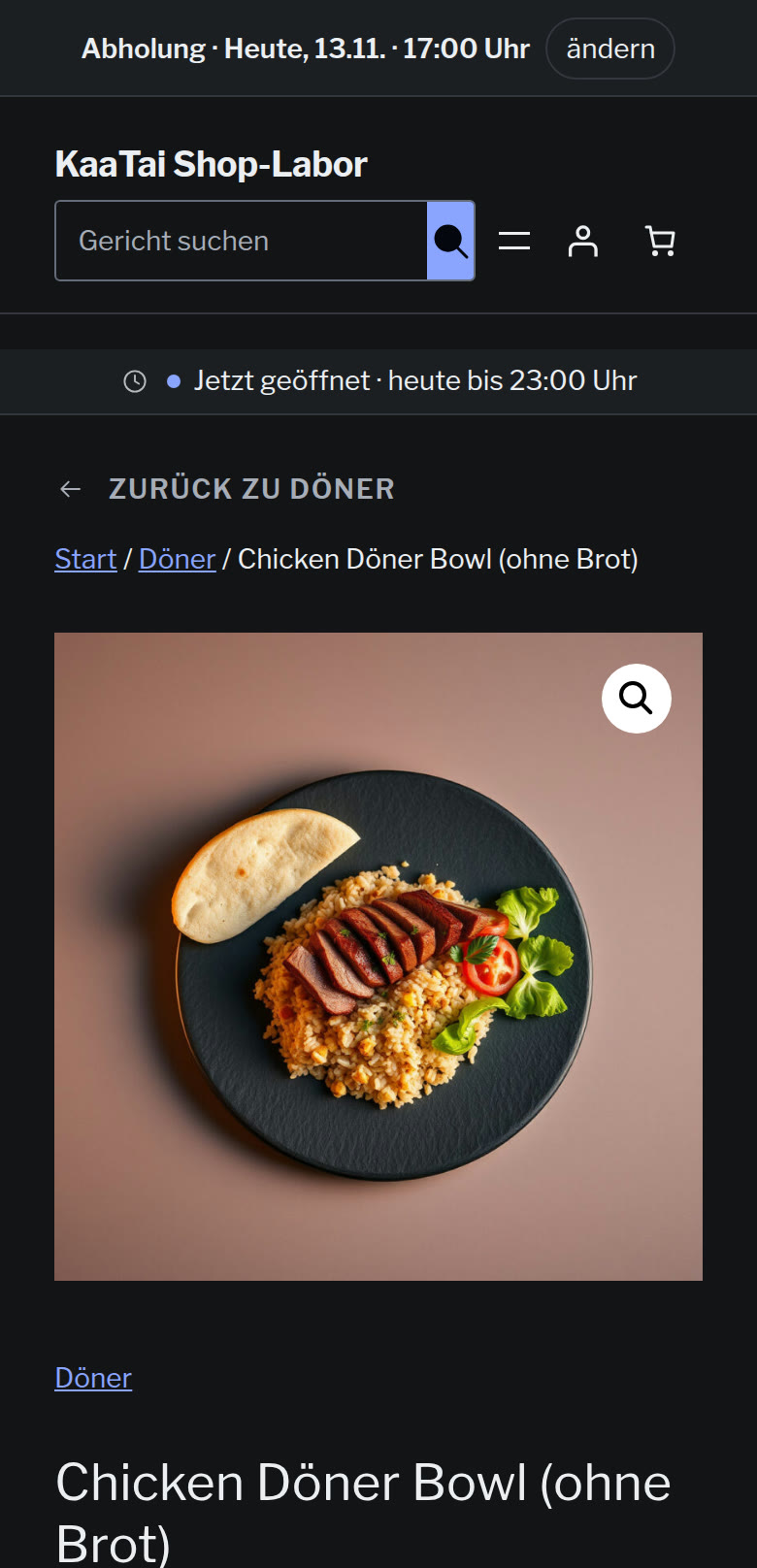
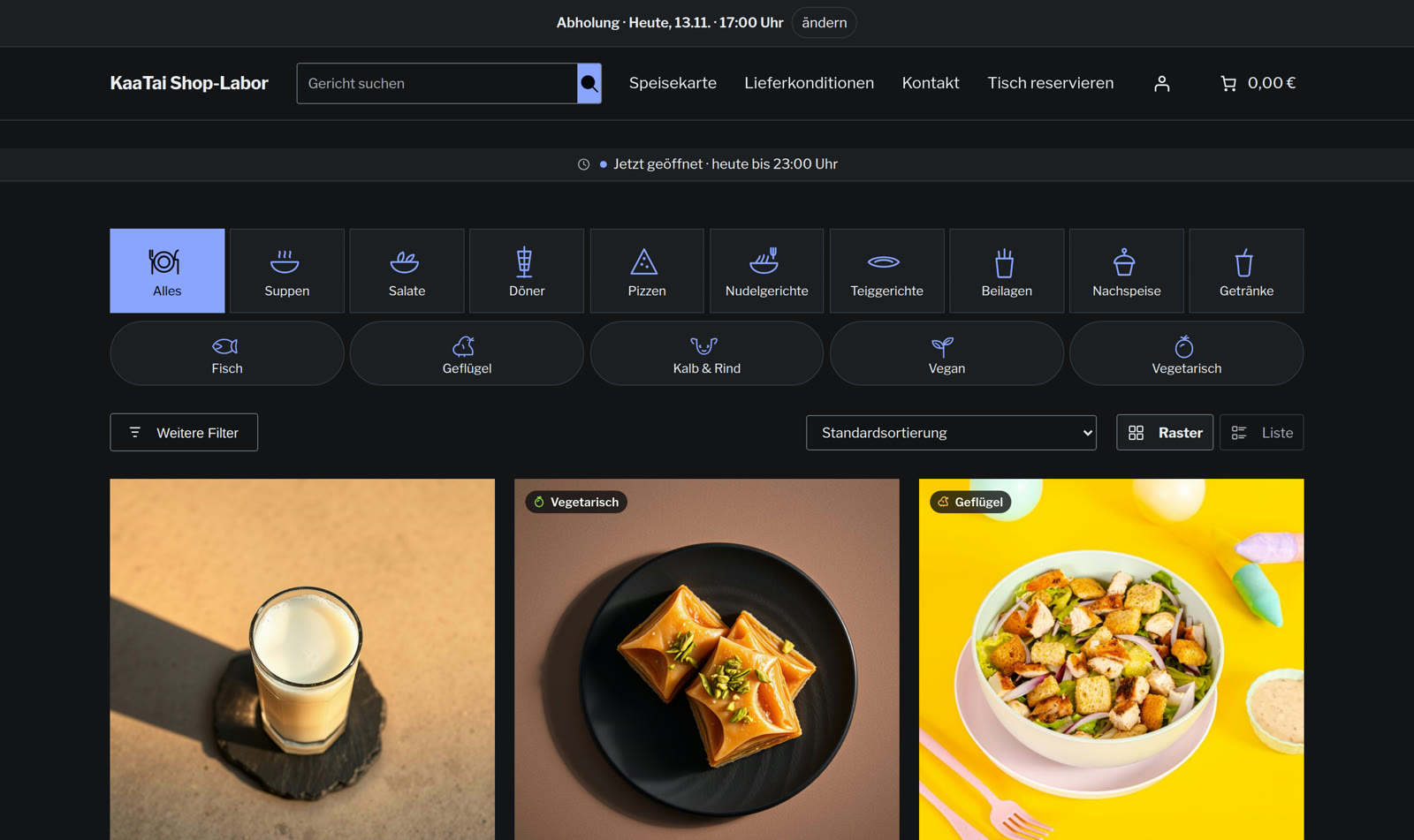
Desktop menu with categories, filters and opening hours
Menu with categories and filters

Three menus, three times the work

Many venues keep one menu on paper, one on the delivery platform and a third in the waiter's head. Every change has to be made three times, and someone takes a cut of every platform order. KaaTai Ordering Systems for Restaurants bring it together: one menu for delivery, pickup and the table.

What the system does

Every feature on this page runs today in our lab; table ordering, the service tablet and reservations also run in our demo shops.

Menu

  • One menu for delivery, pickup and the table, on phone and desktop
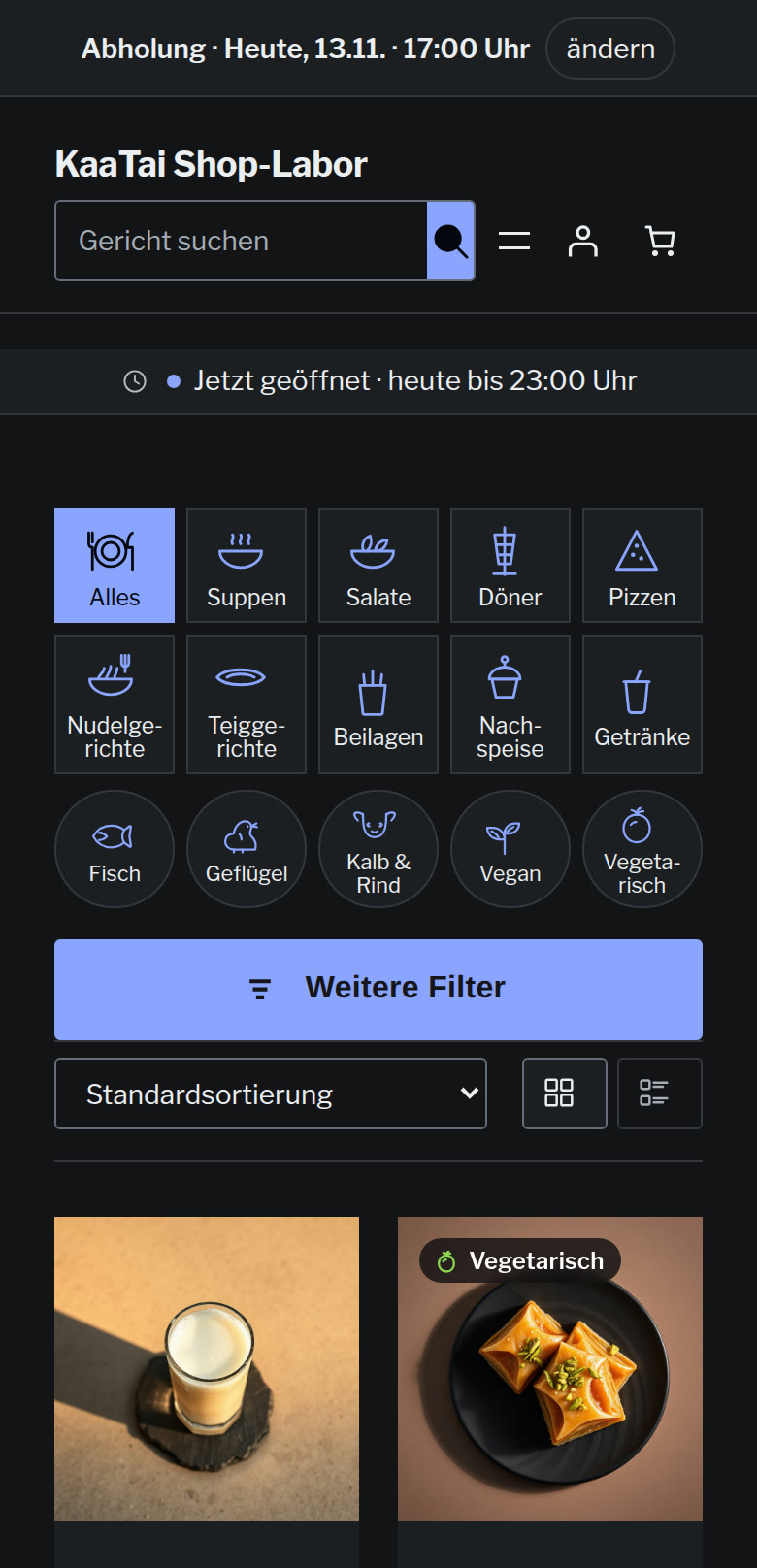
  • Dishes by category, filters for vegetarian, vegan, fish, poultry and more, plus an exclusion filter (“without …”)
  • Allergens and additives marked on each dish, with the legend below the menu
  • Options per dish, such as sauce, side and “please without …”, with surcharges
  • Unit price and deposit shown separately
  • Import the menu via CSV, including from an existing delivery-service export
  • Several styles (light, dark, pizza, burger): the look changes without rebuilding the site
Delivery and pickup

  • On arrival the site first asks for the channel: delivery, pickup, reserve a table or order at the table
  • Preferred day and time before checkout, the delivery area is checked by postcode
  • Opening hours with “Open now · today until …”
  • Pause the kitchen (15 min, 30 min, until further notice) and mark dishes “sold out today”. Both apply instantly to every channel

Order at the table

  • QR code on the table opens the menu on the guest's phone
  • Ordering starts only after staff release the table with a three-digit table code. A photo of the QR code is not enough
  • Reorder, “call waiter” and “bill please” from the phone
  • Alternatively a venue tablet at the table. Staff confirm its orders before they go to the kitchen
  • On the table sketch, guests tap their seat or the whole table, so every dish is assigned to the right seat right away

Service tablet

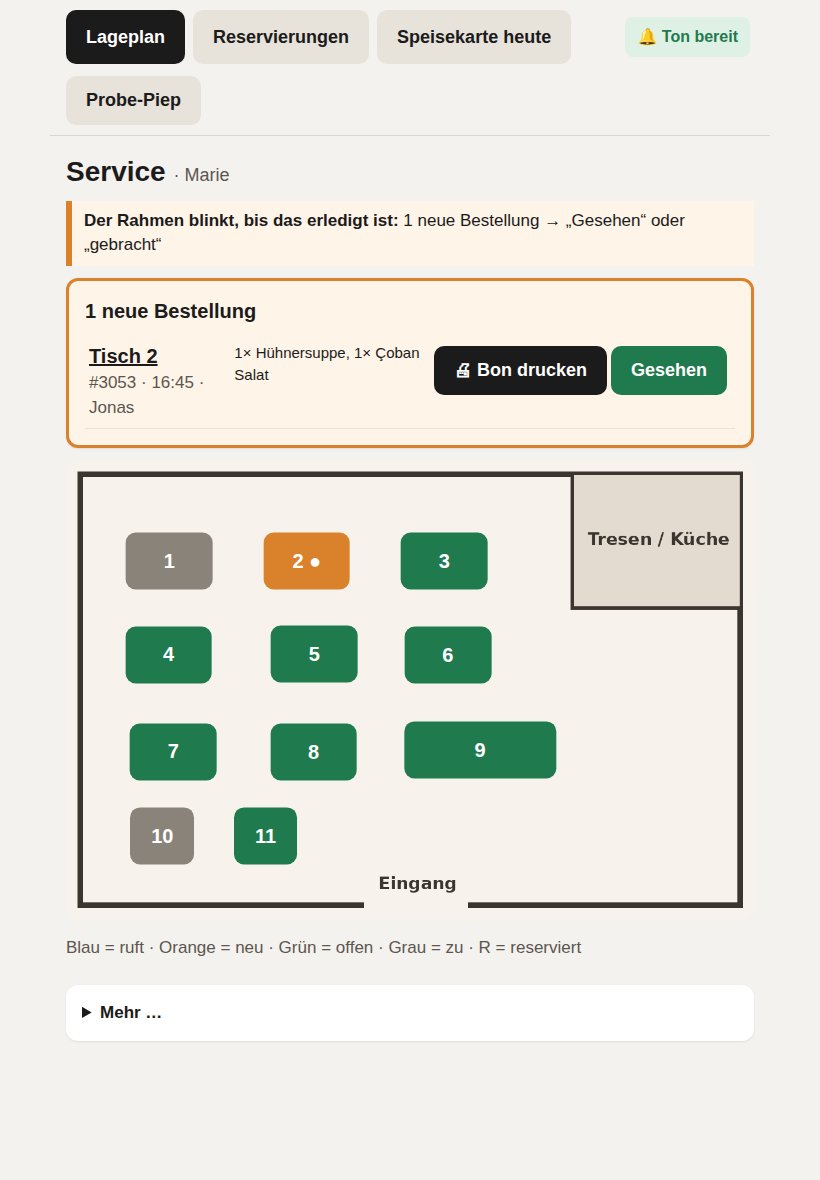
  • Floor plan with all tables. New orders and calls appear at the top, with sound and colour
  • If a notice is left unanswered, it reminds again, in adjustable stages
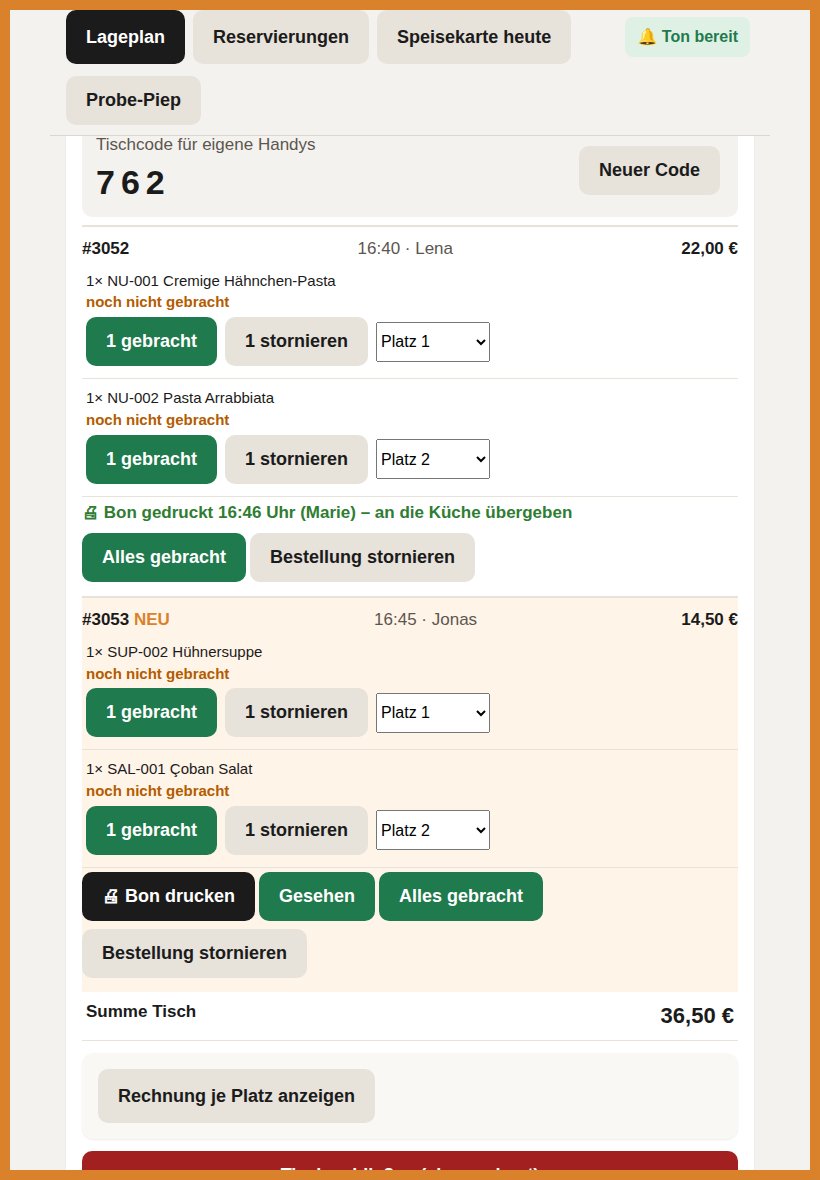
  • Total per table, bill per seat at the tap of a button, cancel per item or entirely, close the table
  • Staff sign in with a four-digit PIN

Table reservations

  • Guests choose party size and day and only see times when a suitable table is free
  • Table choice on the floor plan, the smallest suitable table is preselected. The booking is confirmed instantly
  • Confirmation by email, guests can cancel themselves until the start
  • Double bookings are impossible, even when two guests book at the same moment
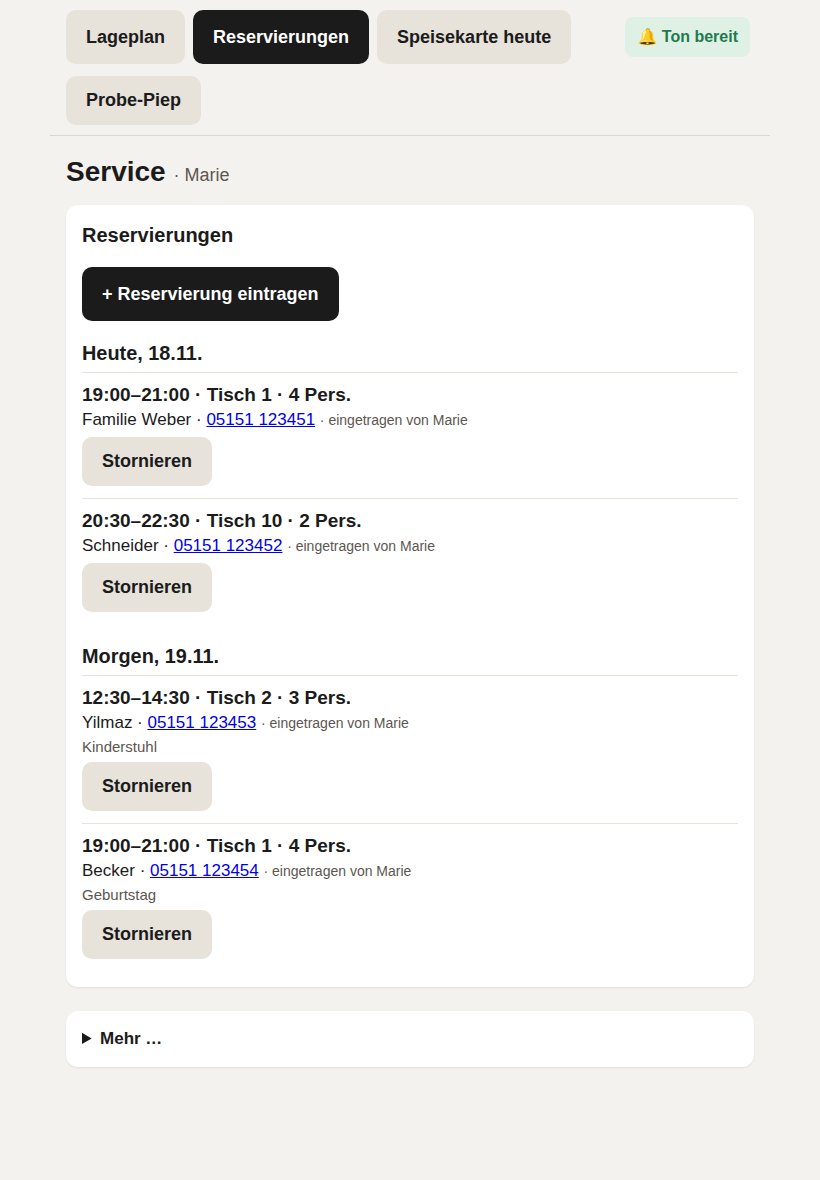
  • Reservations show up on the service tablet, the table reads “R 19:00”
  • Large groups are asked to call. Walk-in-only tables can be excluded
  • Guest data is deleted automatically 30 days after the booking

Kitchen ticket

  • Available: every order can go to the kitchen as a ticket, for table, pickup and delivery
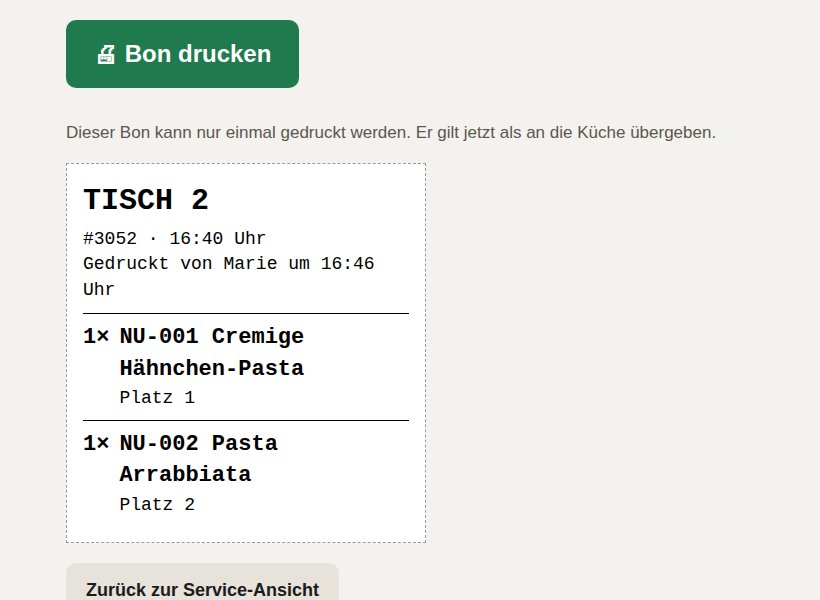
  • Or print it straight from the service tablet, on any printer the tablet can reach (AirPrint). Each ticket prints only once; the order then shows “handed to the kitchen” with time and name
  • Headed “TABLE 4”, “PICKUP” or “DELIVERY”, with options and without prices
  • A cancellation produces a cancellation ticket

What it looks like

Menu on a phone
Menu on a phone
Dish with options
Dish with options
Reservation: time and table on the floor plan
Service tablet with floor plan
Service tablet: ticket printed, the next order is waiting
Service tablet, reservations tab
Print ticket: only once per order

How the rollout works

1

Intro call

Which channels does your venue need: delivery, pickup, table, reservations?

2

Import the menu

Via CSV or from your existing menu.

3

Set up

Choose the look, add tables and the floor plan, print the QR sheet.

4

Trial run, then live

Your staff try everything out, then the system goes into operation.

Showroom

Our showroom: our own demo shops, not client venues

The demo shops show ordering and reservations in action. The images above come from our lab; the new menu design already runs there, while the demo shops still show the previous one.

Frequently asked questions

Does it replace my till?

No. A table order is not a till receipt; billing still runs through your venue's till.

Do I need a delivery platform?

No. Orders go straight to your venue. An existing menu can be imported via CSV.

Do I have to use table ordering and reservations?

No. Reservations can be switched on and off, and without tables set up, “Order at the table” does not appear at all.

Does it work on guests' phones?

Yes, without an app: the menu runs in the browser.

What about data protection?

The site can run without tracking. Reservation data is deleted automatically 30 days after the booking. Your privacy policy needs one sentence on it.

Ready for the next step?

Free intro call, no strings attached. In 30 minutes you'll know whether and how AI can help your business.

Book a callBAFA funding