Book a call
Tool in production

n8n

automation that runs on your own server. 400+ integrations, visual editor, GDPR-compliant when — a concrete alternative to Zapier and Make for professional services firms and SMBs.

Project profile

n8n

Workflow automation for technical teams

As of: June 1, 2026

GitHub stars

191k

Forks

58k

Open issues

1.5k

License

fair-code (SUL)

Latest version

v2.22.5

Language

TypeScript

First release
June 22, 2019
Last commit
June 1, 2026

Third-party source · Wikidata (CC0)

Wikidata profile

n8n

Q130305687

License

fair-code (SUL)

Initial release

2019

What is n8n?

is a tool that automates recurring processes between systems: receiving emails, parsing PDFs, writing data to DATEV, lexoffice, sevDesk or Microsoft 365, sending Slack messages — all in a visual editor, with no programming skills required as a hard prerequisite.

It runs entirely on your own hardware or a server you control. Data does not leave the building. The software is fair-code licensed — source code visible, self-hosting for internal use free of charge, no hidden trackers, no SaaS lock-in.

Why a tax firm uses n8n

In a typical tax advisory firm, hundreds of documents arrive every day by email — from 60 clients, in 12 formats, with ten different subject lines. Manual processing eats hours, is error-prone, and nobody wants the job.

takes over exactly this stupid-work: receive email, check attachment, , match client, file in DATEV, notify staff. The professional then handles the real questions — not typing in amounts.

Client case study

Tax firm Müller & Partner

60 clients, around 500 documents per client per month, five employees. Manual document intake was the time sink number one. These six requirements were the brief — all delivered in the same quarter.

Document intake from email

Receipts arrive by email as PDF, photo or scanned document. They have to be recognised, parsed, matched to the right client and posted to DATEV — without anyone opening each one individually.

DATEV export routine

Month-end close: export bundled bookings as DATEV CSV, send via SFTP to the tax-advisor cloud service, sync client master data. Used to be manual per client — now runs once per night for all 60.

Client onboarding

New client: create file, send welcome email with document checklist, spin up Slack channel, generate login for the client portal, drop calendar invite for the kickoff meeting. Six clicks in four systems — or one .

Deadline watchdog

Pull German tax deadlines (VAT return, income tax, corporate tax, trade tax, payroll tax) from a calendar, remind the client 14 days ahead, escalate to the firm 3 days ahead. Nobody should pay late fees because someone forgot a deadline.

Monthly P&L dispatch

Every month: pull the BWA (monthly P&L statement) from DATEV, render as PDF, email it to the client, mark internally as sent. Used to be: ticking off an Excel list. Now: fully automated and traceable.

Slack bridge for inbound requests

Client requests from email, web form and phone notes land in the right internal Slack channel — one per client, with full history. No more unread tickets in the general inbox.

What now runs on its own

Eight workflows that do their job after setup without daily babysitting. Every run is traceable in the execution history — mandatory for GoBD , no extra effort.

Inbound document intake

IMAP trigger pulls new mail every 5 minutes from a dedicated mailbox (belege@kanzlei.de). Attachment → (Tesseract, local) → client matching via sender address → CSV entry in the DATEV import folder. Client + date + amount + receipt type captured, original PDF archived.

DATEV export routine

trigger 02:00 nightly: group all previous-day bookings per client, export as DATEV CSV, hand off via SFTP to the DATEV cloud interface. On error: Slack ping to firm leadership.

Client onboarding

trigger from the contact form: create file in DATEV, send welcome email with document checklist via Microsoft 365, create Slack channel #client-[Name], generate client portal login, drop kickoff appointment into the Outlook calendar.

Deadline watchdog

Schedule trigger every morning at 07:00: check deadline database, filter all deadlines 14 or 3 days out. 14 days: email to client. 3 days: additional Slack escalation to the responsible advisor.

Cash book plausibility check

On every new receipt: check amount, date, client industry. Outliers (more than 3× the client average, or a future date) flagged as 'review' and posted in the client's Slack channel. A wrong-click safety net before the month-end close.

Contract renewal reminder

Schedule trigger once a week: scan all maintenance and tax-advisory contracts. 60 days before expiry: email to client with renewal notice and contract PDF attached. 30 days out: Slack escalation.

Monthly P&L dispatch

Schedule trigger on the 5th working day of every month: pull the BWA per client from DATEV, render as branded PDF, send via Microsoft 365 with personalised text to the client. Copy posted in the client's Slack channel.

Inbound Slack bridge

Three triggers: IMAP for client@kanzlei.de, for web-form enquiries, for a phone-note tool. In all three cases: client recognition, routing to the Slack channel #client-[Name], thread opened with the original text, automatic 'received' acknowledgement.

Core capabilities of n8n

What delivers technically — and why it fits these tasks. Selection of the capabilities that actually carry the firm setup.

400+ pre-built integrations

Out of the box: DATEV, lexoffice, sevDesk, Microsoft 365, Google Workspace, Slack, Notion, HubSpot, Stripe, Pipedrive, IMAP/SMTP, FTP/SFTP, REST/ calls, databases. Every integration is a node — visually connectable, managed via the credentials vault.

Self-hosted or cloud — your call

Compose on your own server: 30 minutes setup. Or .cloud — hosted in Frankfurt, GDPR-compliant. For sensitive data (tax, patient, HR) we always recommend self-hosting on hardware the SMB owns.

Visual workflow editor

Drag-and-drop editor in the browser. Connect nodes, configure parameters, done. For power users: a code node with JavaScript when a special case is not covered by standard nodes. Domain experts can build simple workflows themselves.

Encrypted credentials vault

keys, passwords, OAuth tokens are stored encrypted in the database — never in plain text inside a . Centrally managed, rotatable, with . Mandatory for GDPR-compliant orchestration of external services.

Trigger types for every occasion

trigger (external HTTP POST), schedule ( expressions), IMAP (email inbound), file watch (new file in folder), manual (button click), database polling. Triggers combine freely.

Workflows as code (Git backup)

Every is stored internally as JSON. Export by click, versioning in Git, deployment via possible. Production workflows become traceable, restorable and auditable — no lock-in to the UI.

Honest alternatives

If n8n is not a fit — what else?

Three SaaS competitors on the market. Each has its strengths, each has its price. Honest framing here — no marketing romance.

Market leader (USA)

Zapier

Zapier Inc., USA

  • + Market leader with 6,000+ integrations
  • + Very easy entry, many templates
  • − US hosting (GDPR third-country transfer)
  • − Very expensive from 2,000 tasks/month (>50€)

EU vendor (Czechia)

Make

Celonis (formerly Integromat), Czechia

  • + EU hosting (Prague), GDPR-suitable
  • + Cheaper than Zapier (from 9€/month)
  • − No real self-hosting option
  • − More complex UI, steeper learning curve

Enterprise (USA)

Workato

Workato Inc., USA

  • + Very deep SaaS integrations (SAP, Salesforce)
  • + AI assistant for workflow generation
  • − Enterprise pricing (four figures per month)
  • − Oversized for SMBs and professional services

Rule of thumb: for a handful of simple workflows with no data-protection requirement, a SaaS is faster to set up. For sensitive data (tax, HR, health) or more than 10,000 task executions per month, quickly becomes cheaper and more sovereign.

Pricing

Fair-code. Self-hosted. No data hand-off.

License

Sustainable Use License (fair-code): source code public, self-hosting for internal use free of charge. Restriction: you may not sell n8n as a competing SaaS. For SMBs, professional services firms and consultancies fully usable.

Running costs

Self-hosted on your own server: roughly 5–15 €/month (VPS + storage). n8n Cloud (Frankfurt): from 20 €/month Starter, 50 €/month Pro. No task limits when self-hosting.

Effort

Docker Compose setup: 30 minutes. First workflow built: 2–4 hours learning curve. Complete firm setup (8 workflows + training): 2–5 consulting days.

The Sustainable Use License is not OSI-approved open source in the classic sense — calls it 'fair-code'. Practically: read, adapt, self-host — yes. Sell it as a third-party service — no. For any SMB or professional services use, this is unproblematic.
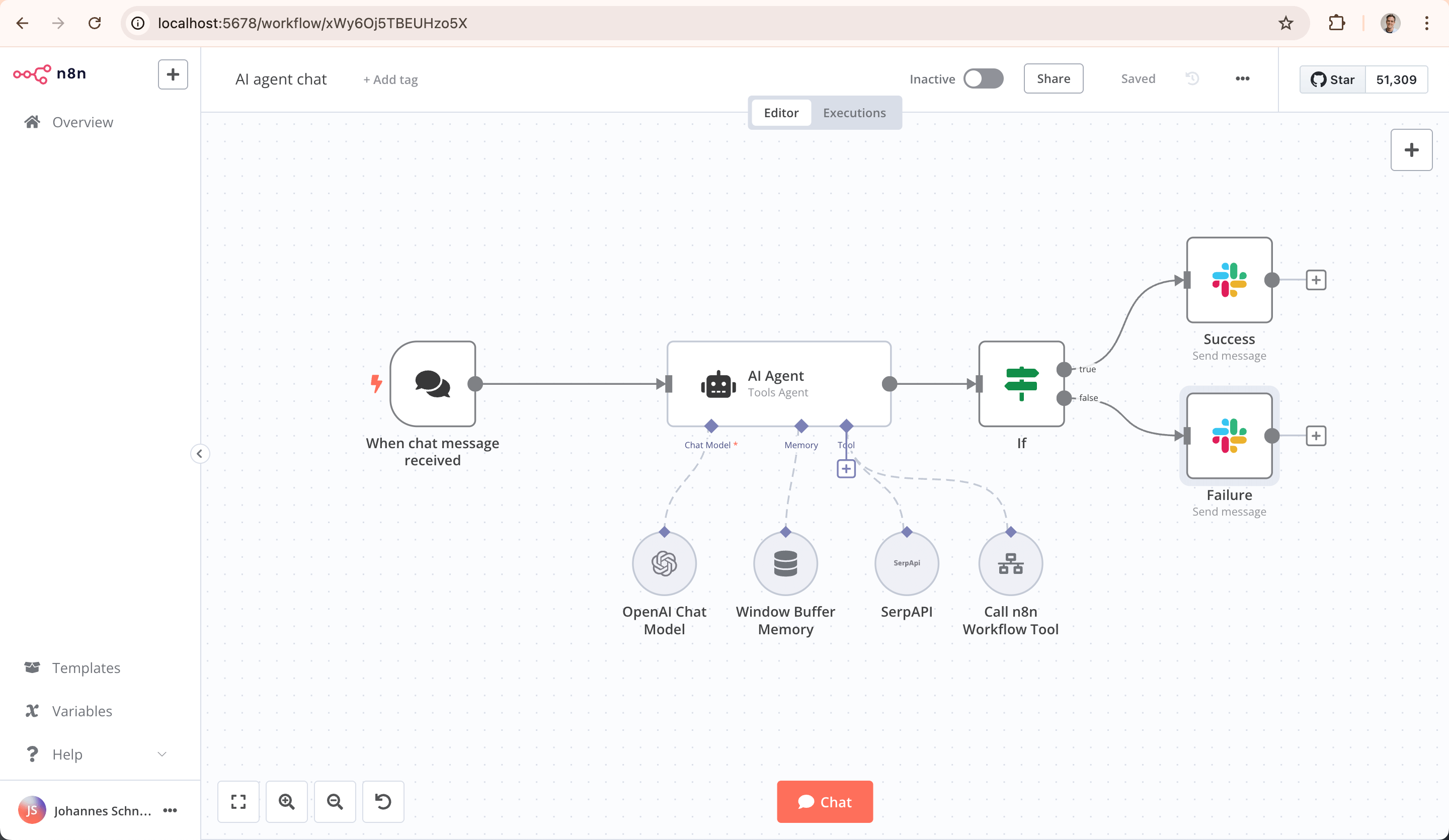
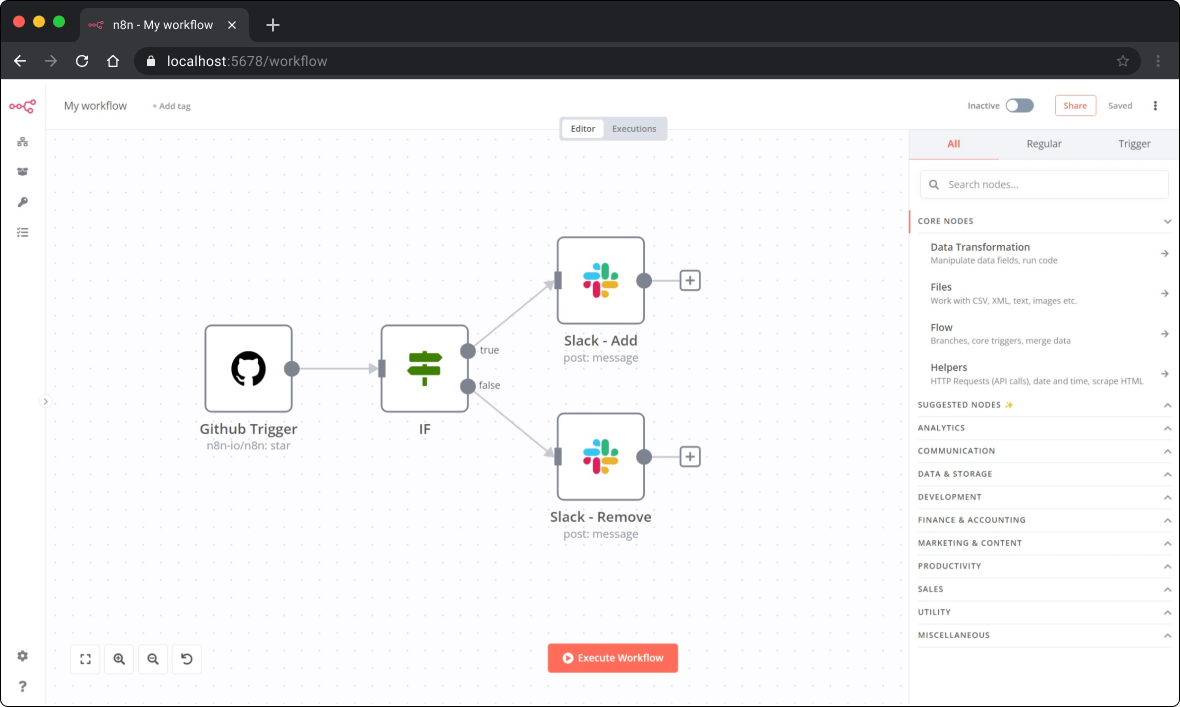
n8n workflow editor: document intake of a German tax advisory firm with IMAP trigger, OCR node, client matching and DATEV export
Example workflow: tax firm document intake — IMAP → OCR → DATEV export. Source: n8n.io (CC BY-SA).
n8n execution history: workflow logs with successful and failed runs, filterable by status and time range
Execution history: every workflow run is traceable — mandatory for German GoBD-compliant document processing. Source: n8n.io.

Related topics

If n8n fits, these usually fit too

is one building block in a sovereign and automation stack. If you want the full picture — orchestration, your own server, process automation:

Ready for the next step?

Free intro call, no strings attached. In 30 minutes you'll know whether and how AI can help your business.

Book a callBAFA funding