Uptime Kuma
monitoring for websites, APIs and servers. Free, open source, GDPR-compliant. What it is, how we use it, and what a tax firm watches with it day and night.
Project profile
Uptime Kuma
A fancy self-hosted monitoring tool
As of: May 30, 2026
GitHub stars
87k
Forks
7.9k
Open issues
752
License
MIT
Latest version
v2.3.2
Language
JavaScript
Third-party source · Wikidata (CC0)
Wikidata profile
Uptime Kuma
License
MIT License
What Uptime Kuma is
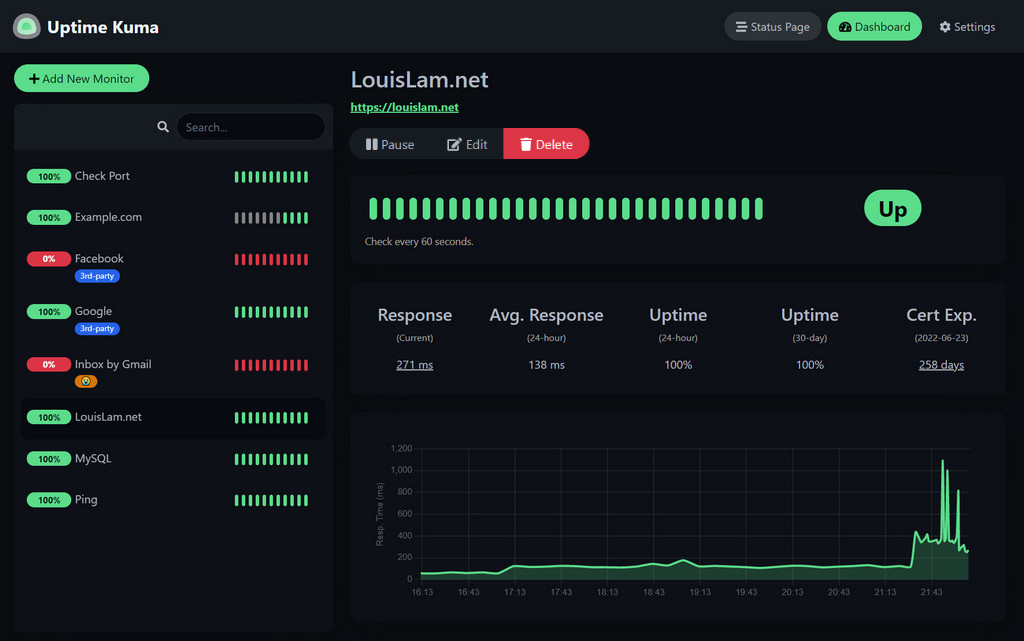
is an open-source monitoring tool that runs on your own server in a container. At configurable intervals (typically 20 to 60 seconds) it checks whether websites, APIs, mail servers, databases and containers are reachable and how they respond — and raises an alert when something is wrong.
Unlike cloud services like Pingdom, UptimeRobot or Better Stack, all measurement and configuration data stays on your own server. For law firms, practices, tax firms and any organisation with confidentiality or GDPR requirements, that is a meaningful difference — the monitored URLs, hostnames and response times never leave your infrastructure.
Why monitoring belongs in every server architecture
A server that is not monitored does not show up when it fails — it shows up when a customer calls. That is regularly hours too late: failed mail acceptance means lost client communication, a failed website means missed inquiries, a failed backup means in the worst case unrecoverable data loss.
Monitoring is the cheapest insurance against symptoms that get expensive — a 30-second detection is usually the difference between „a brief blip" and „half a day lost". Kuma costs nothing, runs on hardware that is already there, and is set up in half a day. There is no sensible reason to run a productive setup without such a tool.
Real-world example
How a tax firm uses Uptime Kuma
Tax firm with twelve workstations, own server in the office, client portal via , mail server via Postfix, daily backups to a NAS. These were the six requirements before introduction:
Client portal reachable at all times
DATEV login and external services in view
Mail server monitored without giving it away
SSL certificates must never expire
Backup jobs must report green every day
Notifications GDPR-compliant, no US service
What Kuma now watches around the clock
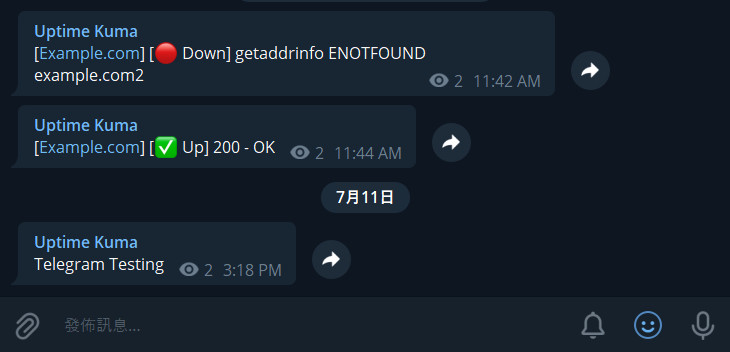
Eight monitors cover the full stack — from the public client website to the backup job that runs at three in the morning. Check intervals between 60 seconds (critical) and 5 minutes (non-critical), alerts via email and push notification on the work phones:
HTTPS endpoint client portal
HTTPS check DATEV document transfer
IMAP and SMTP port on the mail server
SSL certificate expiry for 6 domains
Backup webhook (push monitor)
Docker container health status
DNS resolution of your own domains
Disk usage via JSON query
What Uptime Kuma can do besides
The feature set goes well beyond pure reachability checks. Six building blocks that turn the tool from a pure ping device into a small monitoring platform:
15 monitor types out of the box
Status page for customers
90+ notification providers
Maintenance windows
Tags and groups
API + backup as SQLite
What would the alternative be
Paid SaaS alternatives compared
If you do not want your own setup or do not have suitable infrastructure, there are commercial SaaS vendors. Three common alternatives side by side — as of 2026:
SaaS classic
Pingdom
SolarWinds, US
- · From 15 USD/mo (10 monitors)
- · Enterprise plans 250 USD+/mo
- · US hosting, GDPR friction
- · Page speed and synthetic transactions
Entry level
UptimeRobot
Malta / US infrastructure
- · Free: 50 monitors, 5-min interval
- · Solo 7 USD/mo (60-sec interval)
- · Team plan from 30 USD/mo
- · Very popular in the SMB segment
Premium / EU-capable
Better Stack
Czech Republic / EU option
- · Free: 10 monitors, 3-min interval
- · Team plan from 34 USD/mo
- · EU servers possible, modern UI
- · Incident management integrated
For a tax firm with one or two domains and a handful of internal services the SaaS approach quickly comes to EUR 200 to 600 per year — and with US vendors GDPR friction via on top. Kuma costs a one-off setup effort and runs on hardware that is already there. In architectures with your own server or NAS, Kuma is the economically and legally most pragmatic choice. SaaS tools are worth it especially if you explicitly run no own infrastructure or need multi-region probing that a tool cannot deliver.
What it costs
Free. Open source. No backdoor.
License
MIT license. Unlimited monitors, status pages, notifications. No Pro version, no paywalled features.
Running costs
Zero euros for the tool. Resource needs: about 100 MB RAM and under 1 percent CPU on typical hardware — runs comfortably on a Raspberry Pi, mini PC or the backup server you already have.
One-off setup effort
With our accompaniment typically half a day — including container setup, all relevant monitors, notifications, a status page and a short handover to you or your IT.
The only thing you invest is one-off effort for design and setup. After that the tool runs without license costs, without cloud dependency and without data outflow — year after year.
Goes with this
If you want to hold your infrastructure yourself anyway
is one of several tools we recommend and set up for clients with sovereignty and GDPR requirements. If the bigger picture interests you — server, containers, models, knowledge base on your own hardware:
Ready for the next step?
Free intro call, no strings attached. In 30 minutes you'll know whether and how AI can help your business.